REST API Usage Examples
Instructions with examples on creating and using API keys
Working with the REST API follows the OpenAPI standard. To get the current list of endpoints, use the "Documentation" section inside the PBX. Below are examples of working with the main features of the MikoPBX REST interface.
If you do not have a trusted certificate — add verify=False to each request and disable warnings:
import urllib3
urllib3.disable_warnings()It is strongly recommended to issue a trusted certificate. The easiest way to do this is by using the Let's Encrypt module.
Connection
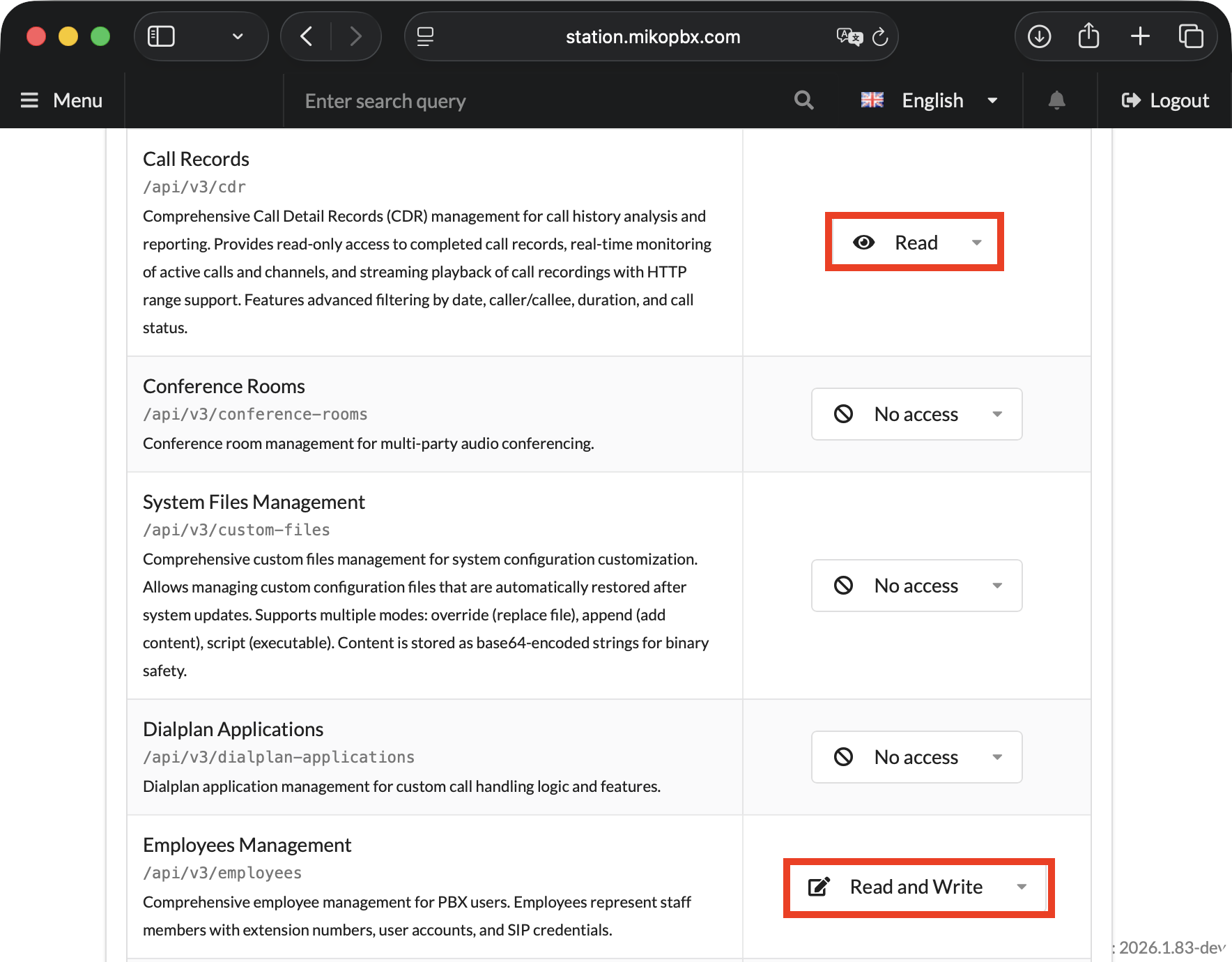
To run all examples in this guide, create an API key and configure the following access permissions (see the general article for details):
Employees Management
Read and write
Creating and editing employees
Providers
Read and write
Creating and editing providers
SIP
Read
Employee and trunk registration statuses
Call Records
Read
Call history (CDR)
PBX Status
Read
Active calls in real time
SIP Providers
Read and write
Creating and editing SIP providers

In this article we will be working with Python, so you need to install the required dependencies:
Below is a connection template for accessing the station via an API key. Use it before all scripts in this guide. The API key is passed directly in the request header — no additional authentication is required:
In the template, replace the following parameters:
your-mikopbx.com— with the IP address or URL of your station.your-api-key— with the previously created API key with the required permissions.
Working with Employees
Endpoint: POST /pbxcore/api/v3/employees
The table below lists the parameters for this request.
number
✅
string, 2–8 digits
Extension number
user_username
✅
string, 1–100 characters
Employee full name
sip_secret
✅
string, 5–100 characters
SIP account password
user_email
—
string email, ≤255
Email for notifications
mobile_number
—
string E.164, ≤50
Mobile number (+1...) for forwarding
mobile_dialstring
—
string, ≤255
Mobile dial string
sip_transport
—
udp / tcp / tls / udp,tcp
SIP transport (default: udp)
sip_dtmfmode
—
auto / rfc4733 / inband / info
DTMF mode (default: auto)
sip_enableRecording
—
boolean
Call recording (default: true)
sip_networkfilterid
—
number | "none"
Network filter ID
sip_manualattributes
—
string, ≤1024
Additional SIP parameters
fwd_ringlength
—
integer, ≤180
Ring time before forwarding (sec, default: 45)
fwd_forwarding
—
number | hangup | busy
Unconditional forwarding
fwd_forwardingonbusy
—
number | hangup | busy
Forwarding on busy
fwd_forwardingonunavailable
—
number | hangup | busy
Forwarding on unavailable
Creating a Single Employee
Example API response (HTTP 201):
Possible response codes:
201
Employee successfully created
400
Validation error (weak password <5 characters, invalid number format)
401
Invalid or missing API key
403
No write permission for the /employees resource
409
Conflict — number already in use
On successful execution, you will see the following console output:
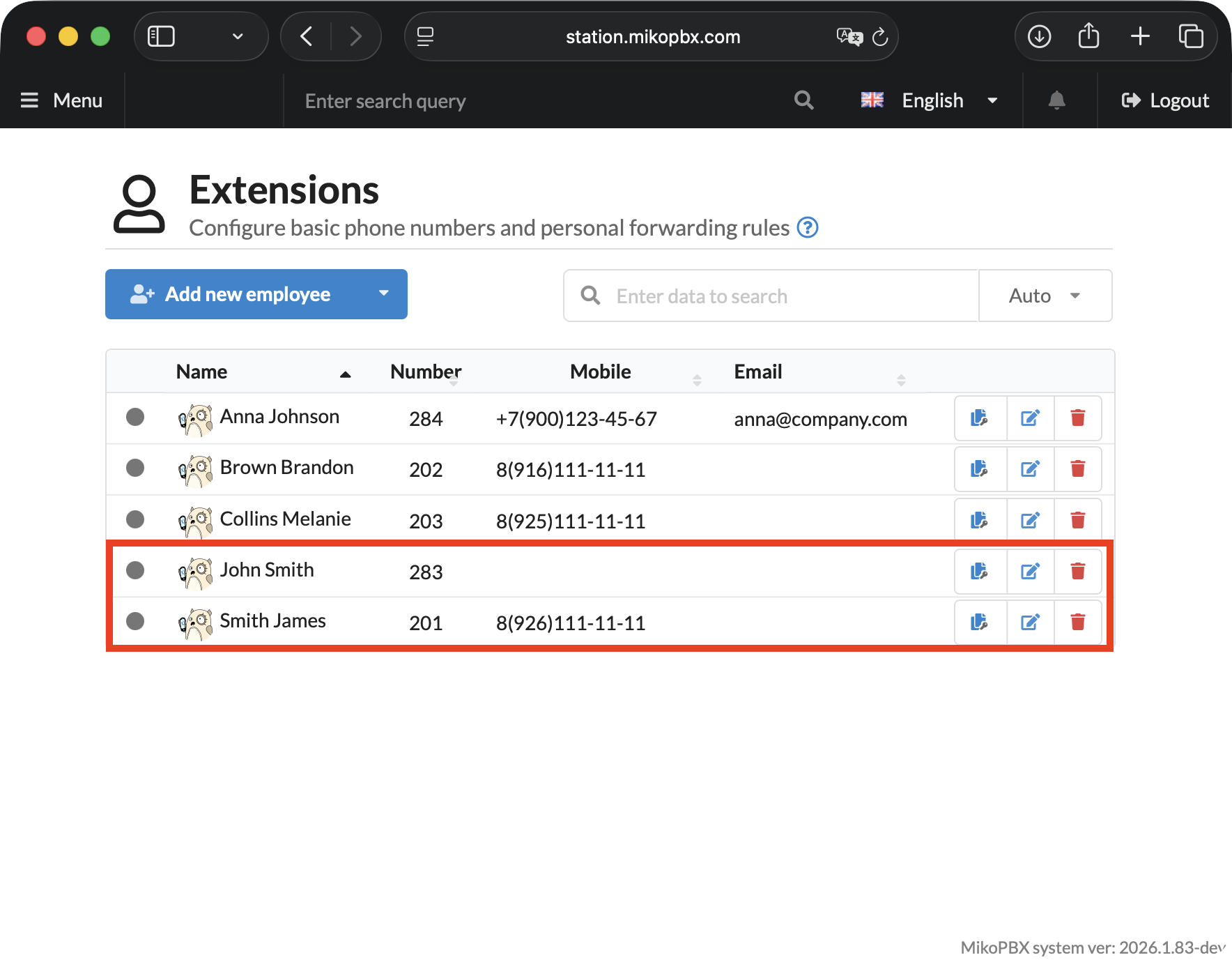
Employees 283 and 284 will be created on the station.

Listing Employees
On successful execution, you will see the following console output:
Group Employee Creation
On successful execution, you will see the following console output:
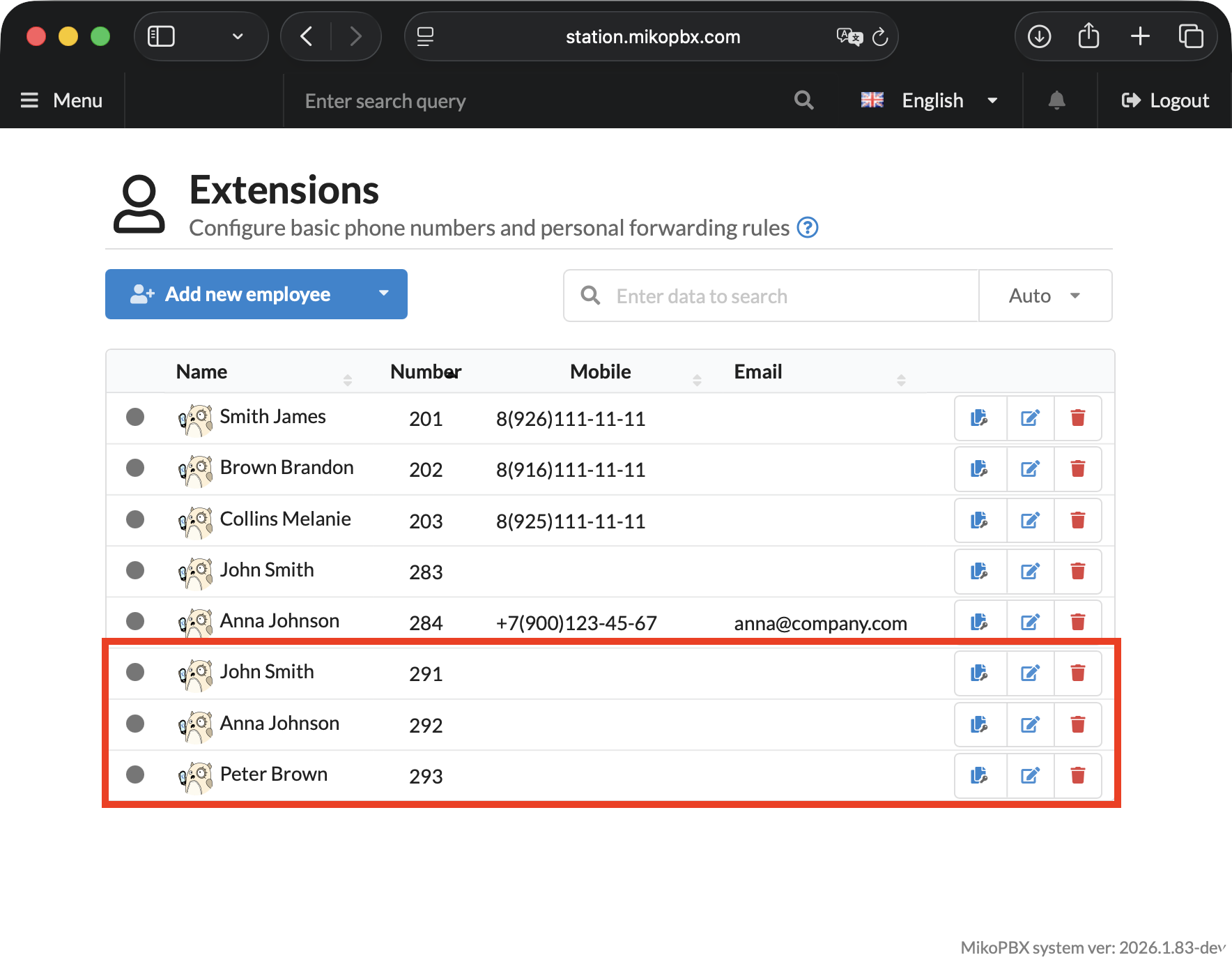
3 employees will be created on the station.

Working with SIP Providers
Endpoint: POST /pbxcore/api/v3/sip-providers
description
✅
string
Provider name
host
✅
string
Provider SIP server address
username
—
string
Login on the provider's server
secret
—
string
Password
registration_type
—
string
inbound / outbound / none
qualify
—
boolean
Availability monitoring (default: true)
transport
—
string
udp / tcp / tls / udp,tcp (default: udp,tcp)
dtmfmode
—
string
auto / rfc4733 / inband / info (default: auto)
port
—
integer
Connection port (default: 5060)
disabled
—
boolean
Disable provider (default: false)
Creating a Provider
On successful execution, you will see the following console output:
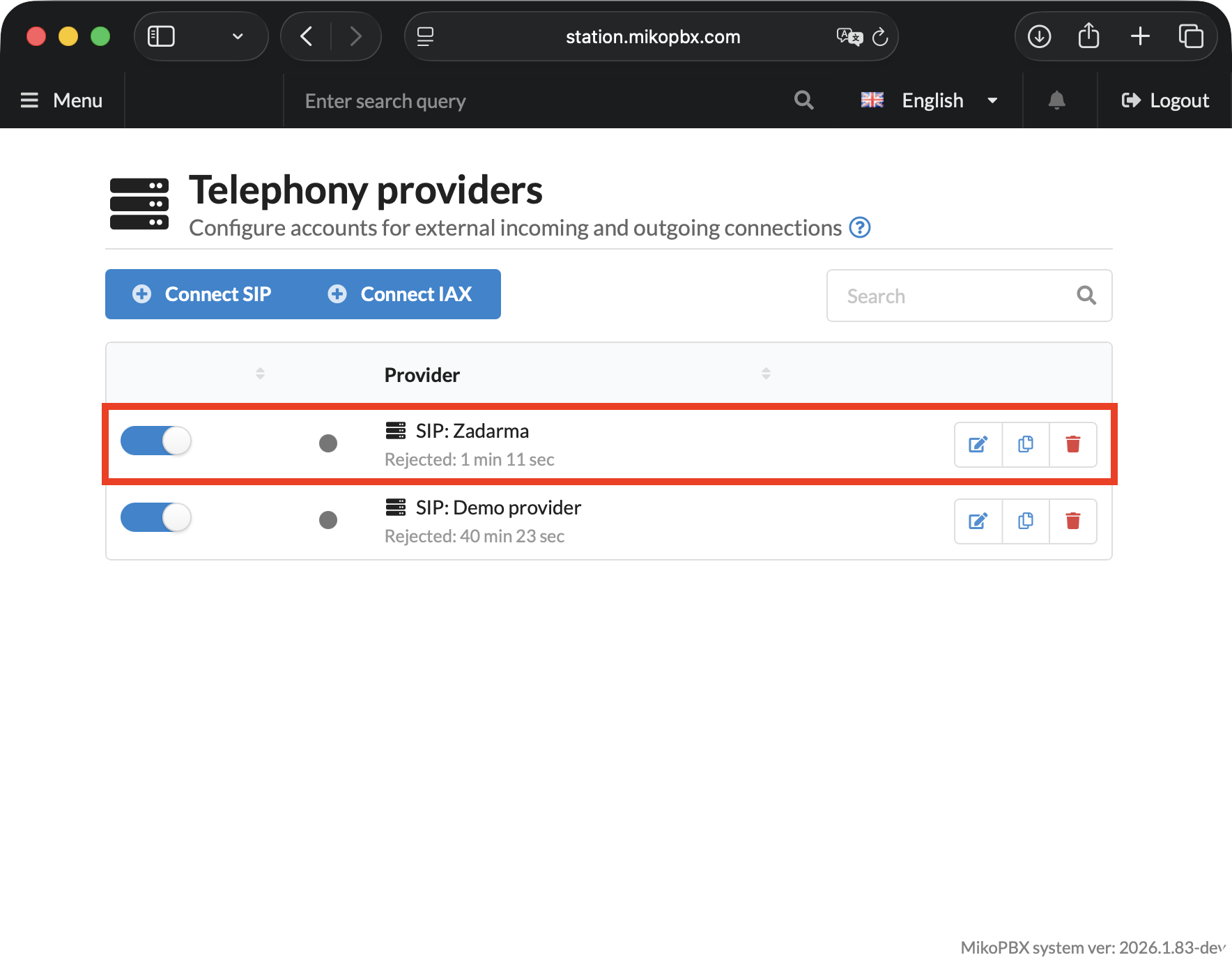
A provider will be created on the station:

Listing All Providers
On successful execution, you will see the following console output:
Retrieving Call History (CDR)
Endpoint: GET /pbxcore/api/v3/cdr — read-only.
offset
integer
Pagination offset (default: 0)
limit
integer
Number of records, max. 100
dateFrom
string
Period start: %Y-%m-%dT%H:%M:%S
dateTo
string
Period end: %Y-%m-%dT%H:%M:%S
src_num
string
Filter by caller number
dst_num
string
Filter by destination number
disposition
string
ANSWERED / NO ANSWER / BUSY / FAILED
On successful execution, you will see the following console output:
Statistics for a Period
On successful execution, you will see the following console output:
Calls with the CHANUNAVAIL status are not counted in the Answered, Missed, or Avg. duration statistics.
CDR Record Fields
linkedid
string
Unique call identifier
start
datetime
Call start time
src_num
string
Caller number
src_name
string
Caller name
dst_num
string
Destination number
dst_name
string
Destination name
disposition
string
ANSWERED / NO ANSWER / NOANSWER / BUSY / CHANUNAVAIL / FAILED
totalBillsec
integer
Call duration (seconds)
totalDuration
integer
Total duration (including ringing)
records
array
Detailed records for each call leg
records[].recordingfile
string
Path to the recording file
records[].playback_url
string
URL for playing back the recording
records[].download_url
string
URL for downloading the recording
records[].dtmf_digits
string
DTMF digits pressed in IVR
Monitoring: SIP Statuses and Active Calls
Employee and SIP Provider Registration Statuses
Endpoints: GET /pbxcore/api/v3/sip , GET /pbxcore/api/v3/sip-providers
On successful execution, you will see the following console output:
Employee statuses (status field)
Available
Registered and available
Unavailable
Not registered (offline)
Provider statuses (state field)
registered
Registered on the provider's server
rejected
Registration rejected by the server
unregistered
Not registered
Active Calls in Real Time
Endpoint: GET /pbxcore/api/v3/pbx-status
On successful execution, you will see the following console output:
The full list of endpoints and interactive documentation is available in the Interactive Documentation and Endpoint List section.
Last updated
Was this helpful?